How to access
Follow the instruction as specified. no additional request needed.
- Use your UCSF email as username, such as [email protected], then apply your regular user login password

Overview
eduroam (education roaming) is the secure worldwide federated network access service developed for the international research and education community.
What does it do?
For the traveler:
- eduroam provides a way for UCSF faculty, staff, researchers and learners to access network resources and other partner educational or research instructions without having to learn the specifics of each institution's guest-access process.
For the institution:
- eduroam provides a method for individuals from remote partner institutions to connect to the UCSF network.
- At this time, the eduroam network provides the same network services at the UCSFguest wireless network.
- At this time, the eduroam network provides the same network services at the UCSFguest wireless network.
- More information on eduroam can be found on the eduroam-US web site.
Where can I use eduroam?
Eduroam is available in more than 5,500 locations in 58 countries worldwide and hosts a site showing locations and status.
How do I use it?
- You can connect anywhere the eduroam SSID is visible to your wireless device.
- Use your UCSF email as username such as [email protected]
- Apply your regular UCSF user account password
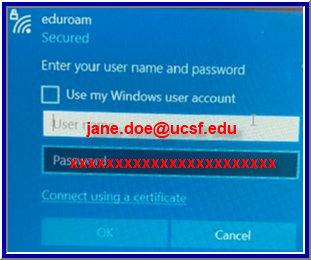
- Other visitors and affiliates may still access eduroam at UCSF with their accounts from home institutions, providing the institutions are participants the eduroam network.
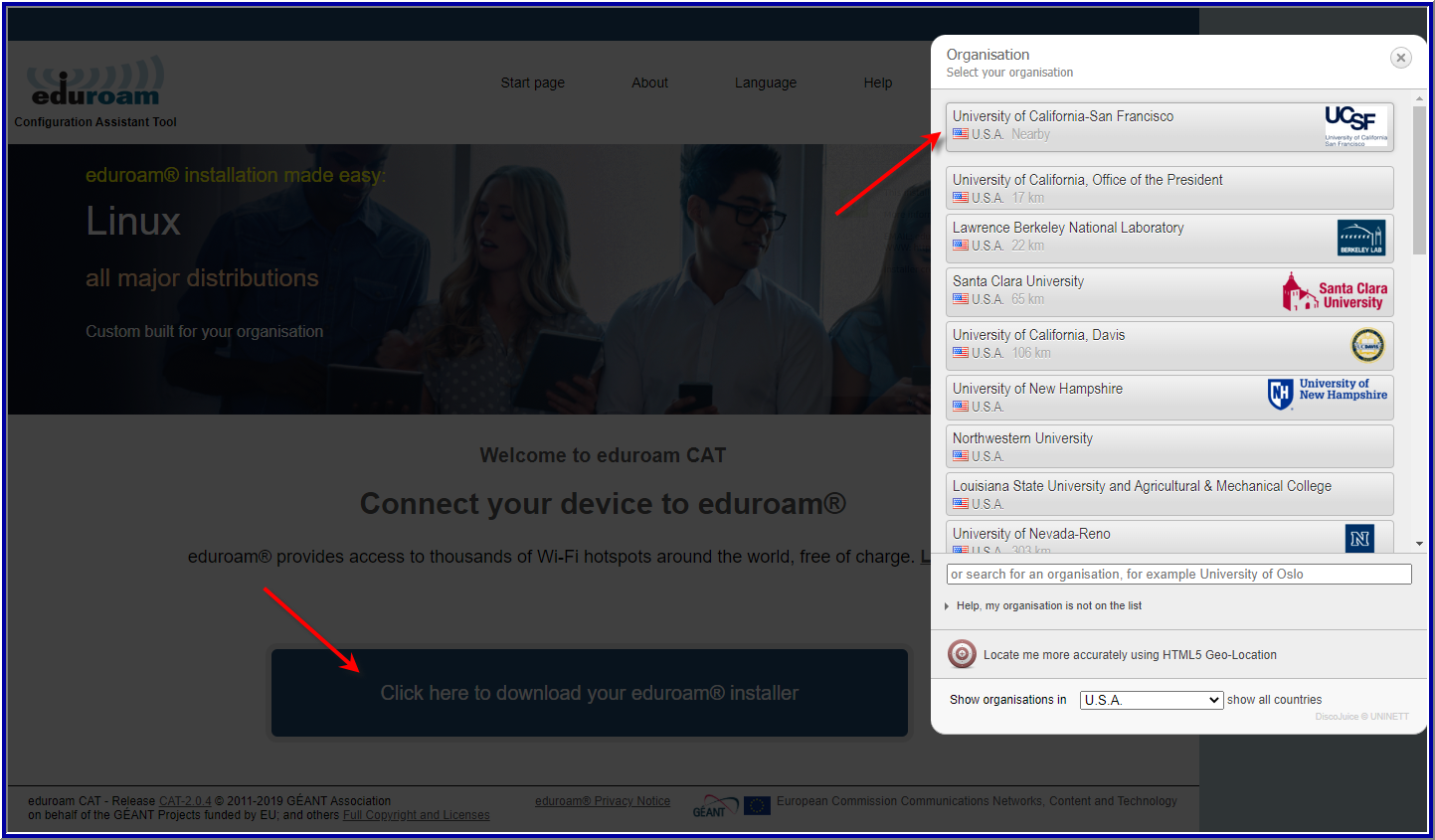
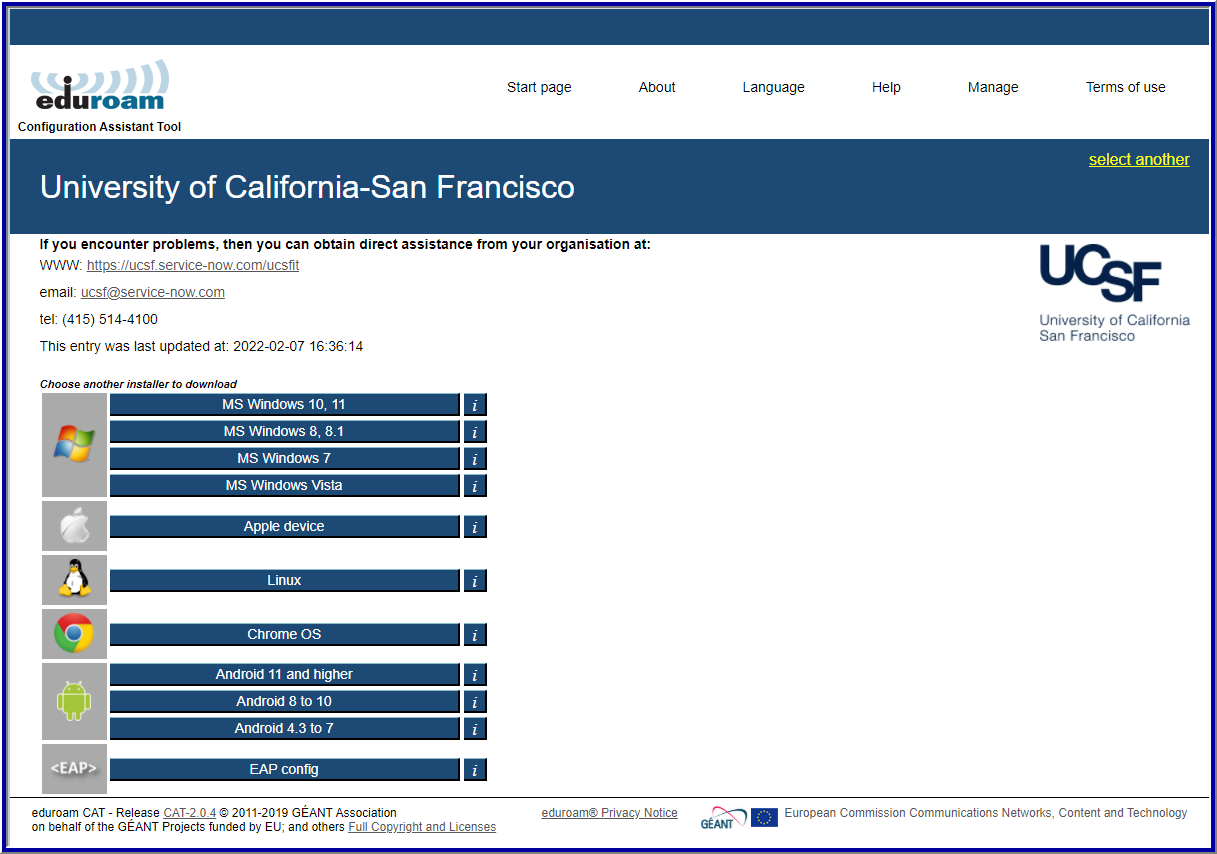
As of 2/8/2022 you may also visit eduroam CAT website at https://cat.eduroam.org/ to download custom UCSF eduroam installer to help simplify your eduroam connectivity while abroad. Please select "University of California San Francisco" under Organization then pick your installing platform type.
How can we help you?
Need assistance?
Do you have issue with this service? Submit an IT Service Desk ticket for more assistance with this service.
We want to hear from you
Have you noticed a technical or content issue with this page? Provide feedback to assist the content owner with enhancing the content?
Send Feedback