Accessing UCSF Templates in Word Desktop
Step1
Open Microsoft Word on your desktop.

Step2
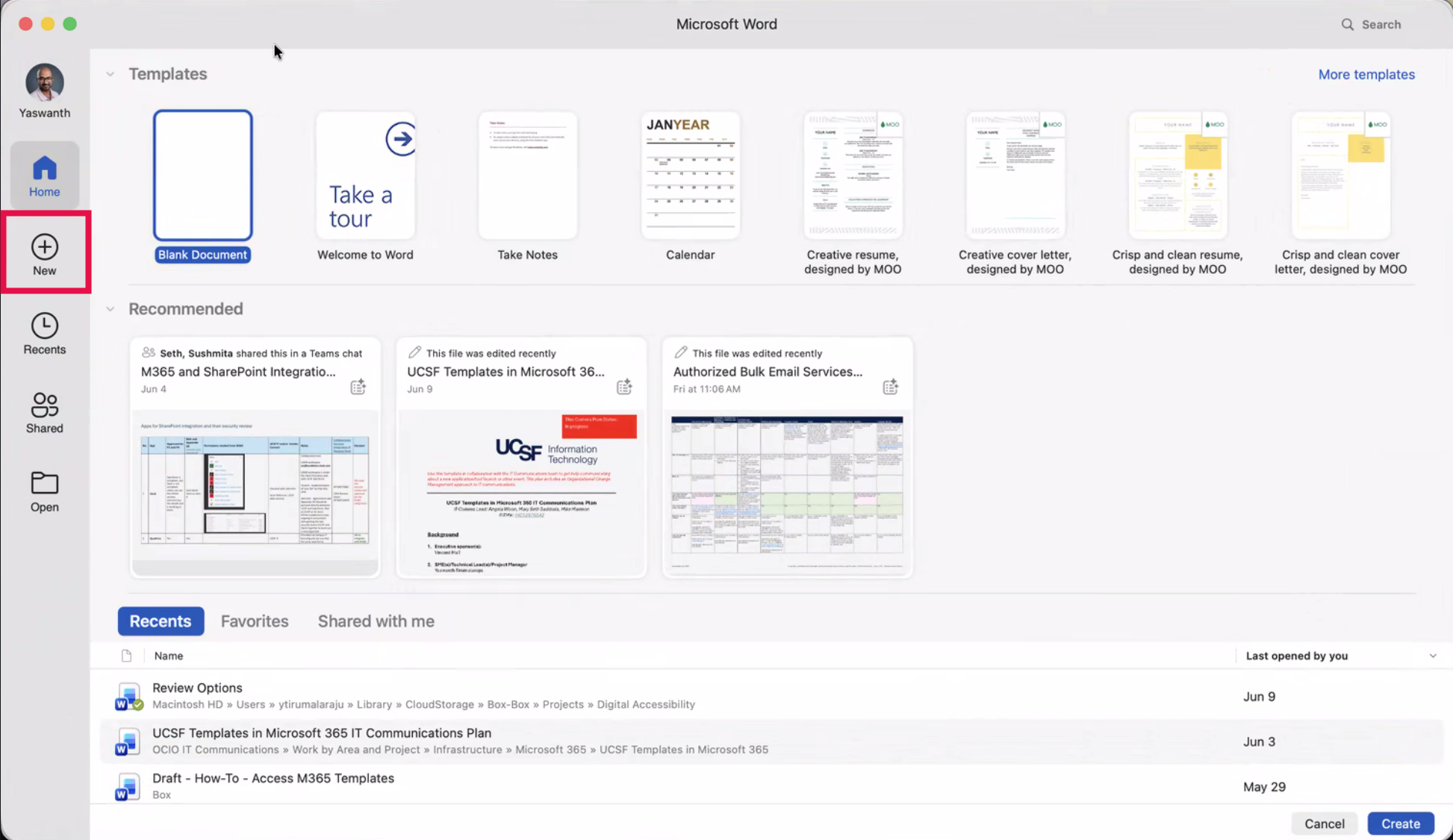
From the Word Landing Page, select New.
Step3
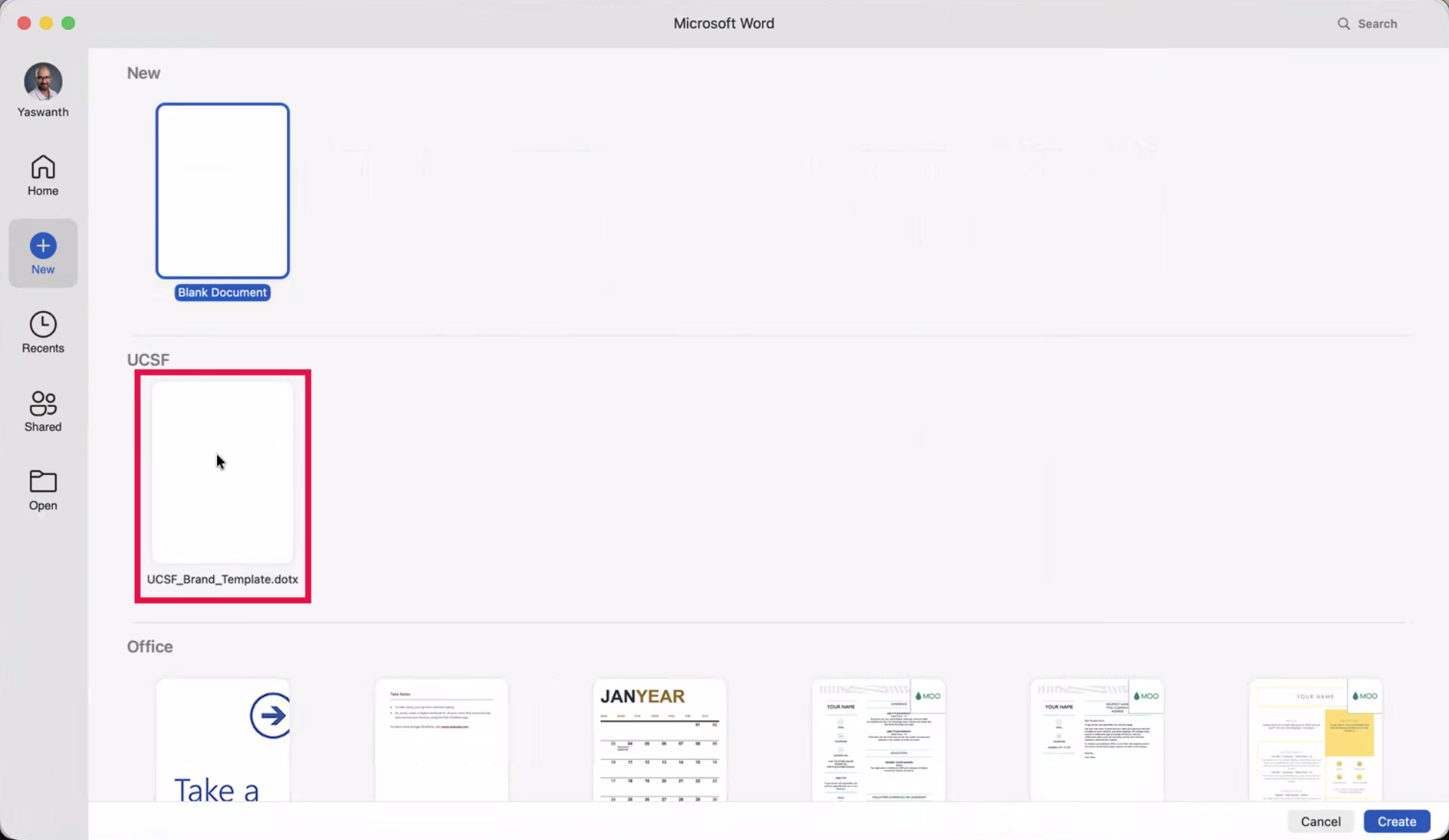
On the New screen, locate the UCSF section and selected the desired template.
NOTE: Additional templates may be added in the future.
Step4
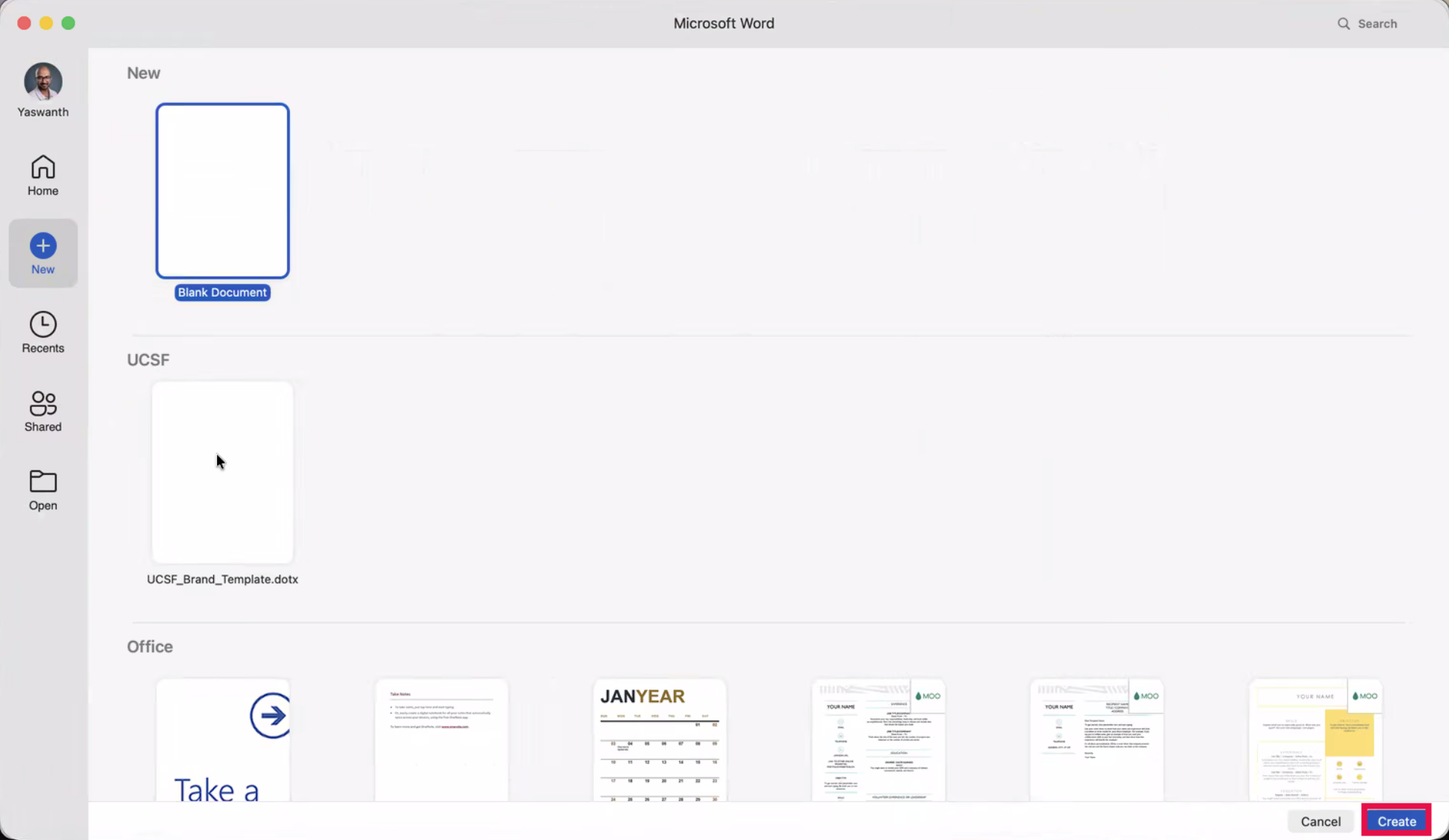
Click Create.
Step5
A new document will load using the selected UCSF template.
NOTE: The Accessibility section will highlight that the Word template is digitally accessible.
