Why?
Headings create an outline structure for users to skim a file. Someone who is visually impaired “skims” a page by requesting the screen reader to announce a list of headings.
Step 1. Determine the outline of the text
What are the high-level topics and subtopics? Create an outline and then ensure that each section has a header level (using the Header style) or in the case of PowerPoint, each slide has a title.
Step 2. Apply headers appropriately
- Headings must be descriptive enough to tell the reader about the text that follows it.
- Avoid creating empty headings accidentally in CMS editors like Drupal — this is usually due to the "heading" style being applied to spaces in between text. Do not add extra empty headings to add extra spacing.
- The order of heading levels should be logical. There are six heading levels available—from first-level (<h1>) to sixth-level (<h6>).
- A page should typically have only one first-level heading that describes the page's overall content (and should be similar to the page <title>).
- The H1 should be at the beginning of the page, followed by H2 headers to indicate main sections below them.
H3 headers would indicate subsections of those (H4, H5, and H6 can be used as needed for further subsections).
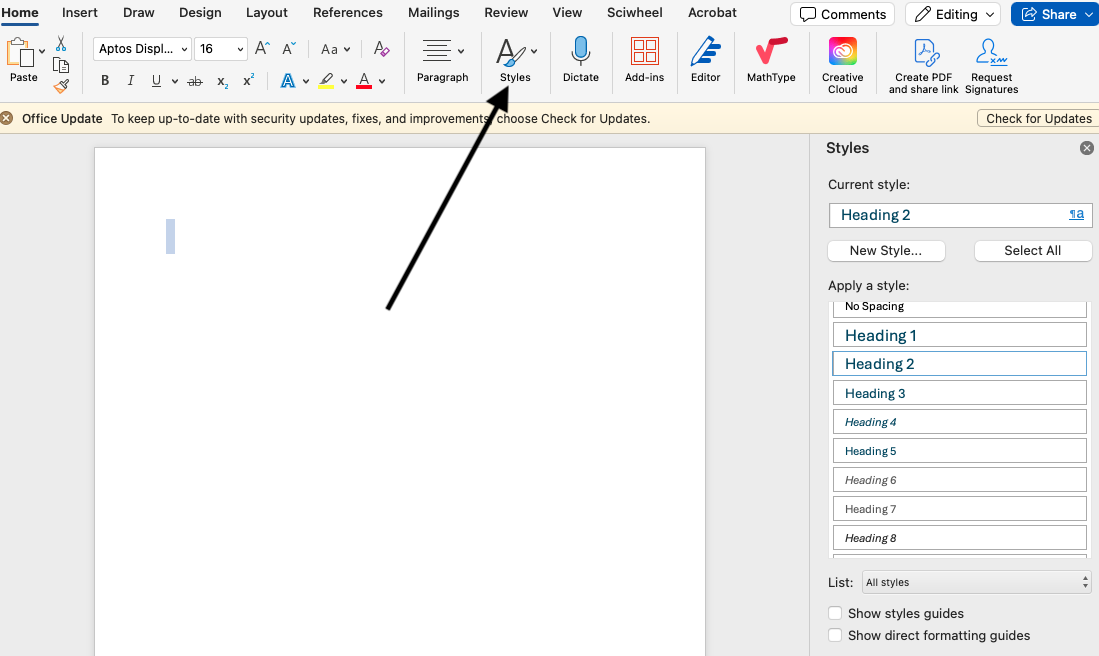
In Microsoft Word, select the Styles button to open the Styles toolbar on the right side and choose the appropriate header level.
Step 3. Including Images
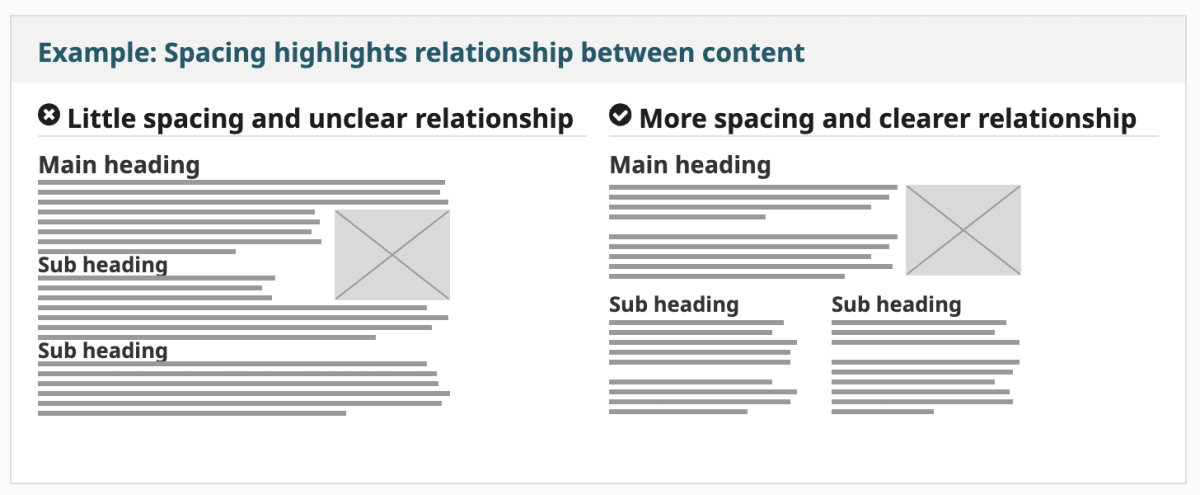
When including an image, make sure it is below the heading that applies to it, and that no other headings or subheadings appear at the same level (top to bottom). Screen readers use this top-to-bottom hierarchy to read the content aloud to users.
Resources
- Creating Accessible Word Documents: Heading Structure: 5-minute demo on how to apply headings to Word Documents.
- Semantic Structure : Regions, Headings, and Lists, article from WebAIM.
- WAVE, a Chrome browser extension. This tool flags errors, and provides nifty tools like "Text only" and "Outline" modes. From WebAIM.
Credits
Some information on this page is from the W3C Web Accessibility Initiative (WAI) document: Designing for Web Accessibility. Kevin White, Shadi Abou-Zahra, and Shawn Lawton Henry, eds. Copyright © 2025 World Wide Web Consortium (W3C®). Date: Updated 16 July 2024.